European Investment Bank · Loan Grading
From Excel and IT requests to self-service valuation runs
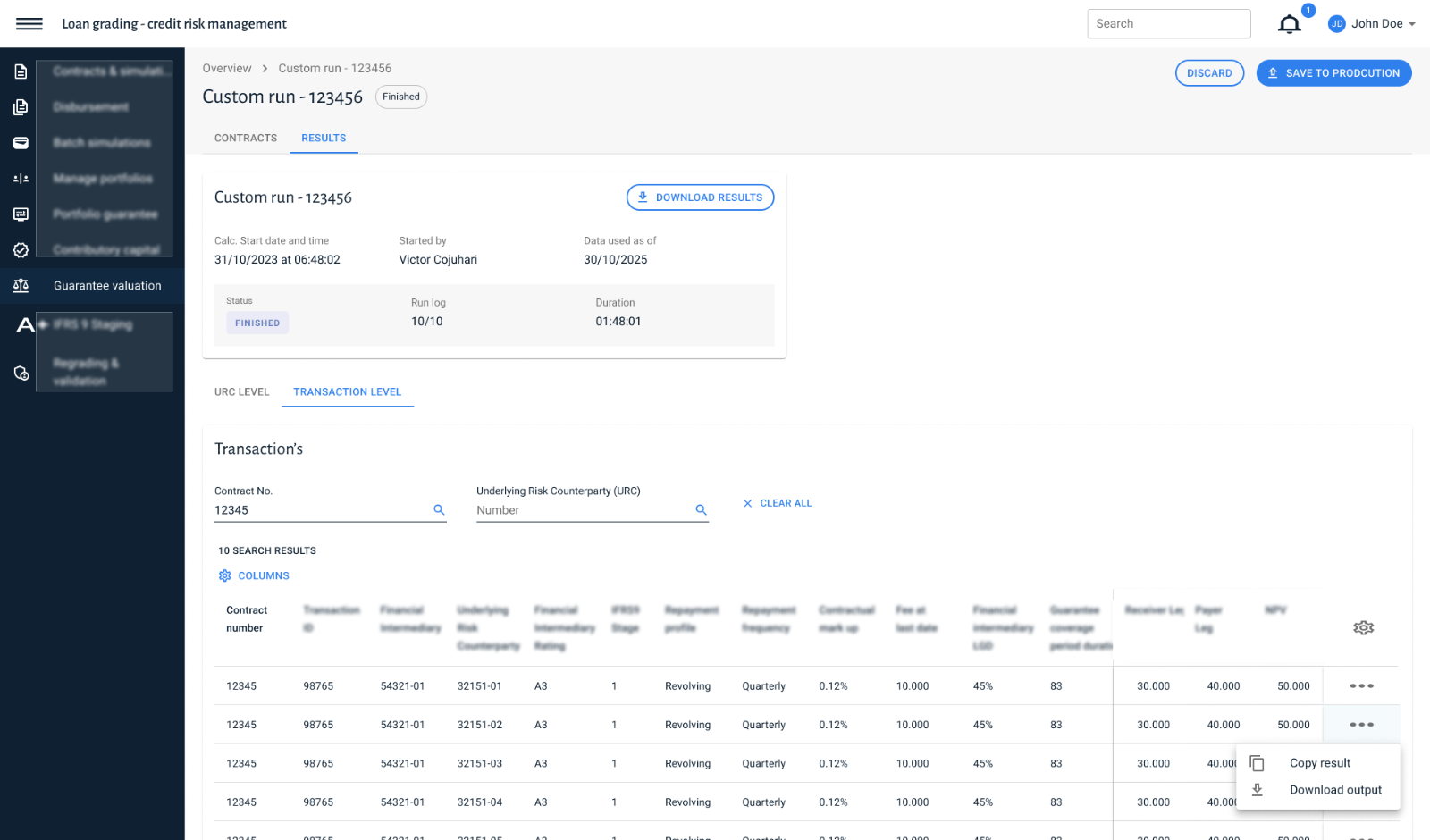
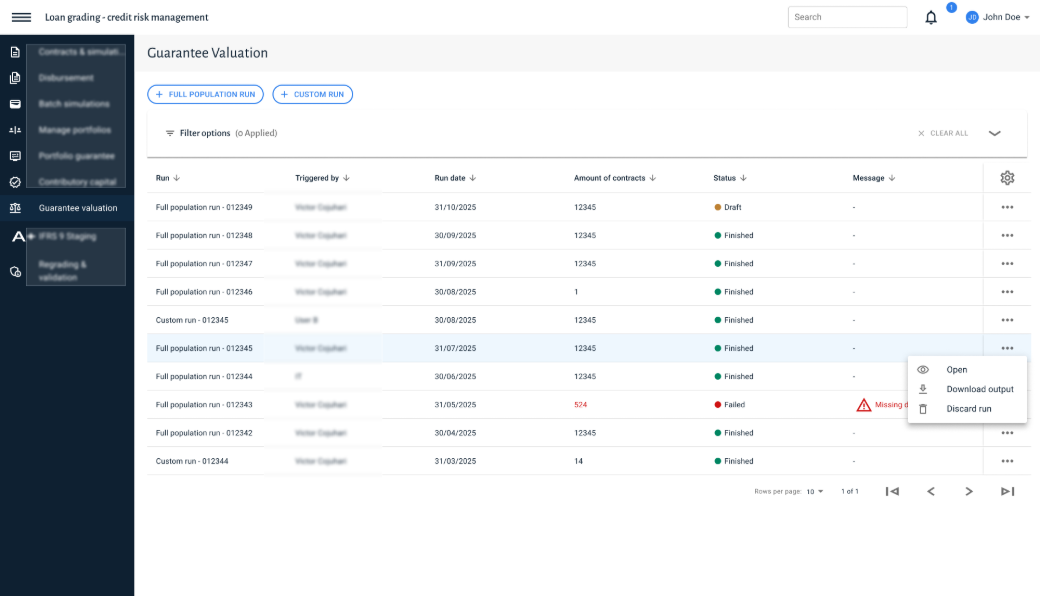
Context
At the European Investment Bank, Finance Analysts use a Loan Grading tool to value loan guarantees and determine the risk stage of loans in a portfolio. Both calculations run under IFRS 9, the accounting standard banks use to report expected credit losses.
Problem
Data preparation ran through Excel, and every calculation depended on IT to start a batch run. Results were visible only in a separate reporting tool, with no audit trail. Many actions were done one by one, even when a single batch could have covered them.
Role
I led research, design and validation for both modules, working weekly with one core user and a business analyst. A second UX designer supported occasional sparring early on before moving to a related project.
Result
Both modules moved from Excel and IT-dependent batch runs to a self-service workflow embedded in the existing tool, delivered to development as part of a shared digital landscape with EIF.
01
The Challenge
The calculation itself left little room for discussion. Valuing a guarantee or determining a loan's stage always needed the same input: contract data, usually for a batch rather than one.
What stayed open was how analysts would get that data in. They used to prepare everything in Excel, upload a file, and wait for IT to run a batch. Online, contracts and data could live inside the tool itself, added through an interface instead of a file. That set the real design question: how to let analysts search for and select exactly what they needed, without rebuilding the old upload habit in a new screen.
FIXED · CONTRACT DATA ARRIVES IN BATCHES
OPEN TO DESIGN · HOW THAT DATA GETS INTO A RUN
FIXED · CALCULATE, REVIEW, PERSIST
Incoming data (Millex + CLM)
Guarantee valuation
Overview of runs
Batch or single run?
SINGLE
BATCH
Upload a contract file
Add contracts in the tool
Run
View input + output
Save calculation?
SAVE
DISCARD
Saved to DW
Discard
Primary path
Discarded / exit
Decision
Persisted state
Open to design
FIXED · CONTRACT DATA ARRIVES IN BATCHES
Incoming data (Millex + CLM)
Guarantee valuation
Overview of runs
Batch or single run?
OPEN TO DESIGN · HOW THAT DATA GETS INTO A RUN
BATCH
Upload a contract file
SINGLE
Add contracts in the tool
Run
FIXED · CALCULATE, REVIEW, PERSIST
View input + output
Save calculation?
SAVE
Saved to DW
DISCARD
Discard
Primary path
Discarded / exit
Decision
Persisted state
Open to design
The diagram splits the process at the point that mattered: contract data always had to reach the calculation, but how it got there, a file upload or adding contracts directly, was still open to design.
02 + 03
Two complementary functions on one modal pattern
02
Design decision: contract management as a modal
Adding contracts to a calculation became the first real interface problem. My first version used an accordion: a search panel that expanded within the page, next to everything else still visible. In practice, people kept working with the rest of the page, and the search step got lost in that clutter.
I replaced it with a modal: contract search and selection open in a separate layer, with nothing else on screen until the task is done. That single change removed the distraction. In testing, analysts moved through search and selection directly and stopped asking what they were looking at, something the accordion version never achieved.
03
Design decision: contract-level and input-level selection
The second decision went beyond replacing the old workflow. I gave analysts the choice to add a full contract, or only specific inputs within it. Previously, using part of a contract meant running the whole contract and filtering out what mattered afterwards.
Search Contracts and Search Inputs became two separate, complementary functions built on the same modal pattern: one selects at contract level, the other at the level of individual inputs inside a contract. This gave analysts a precision Excel and the old batch process never offered: running exactly what they needed, instead of calculating more than necessary and discarding the rest.
02
Accordion against modal
V1
Accordion · inside the run page
01The run's own fields (number of contracts added, valuation date) stay on screen while contracts are managed.
02Added contracts open as a collapsible section in the same page, so search, selection and the rest of the run compete for attention.
V2
Modal · separate layer
03Search and selection move into a separate layer with its own header, so the run page recedes and nothing else is actionable.
04One explicit exit, confirm or cancel, returns the analyst to the run with the selection applied.
Active surface
Receded page
Content line
Emphasised line
Annotation point
Left, the accordion version, contract search embedded in the run page itself. Right, the modal that replaced it, search and selection in their own layer, with nothing else on screen until the task is done.
03
Contract level against input level
One modal pattern · two selection levels
A
Contract level · add a whole contract
Search results
01Filter, then tick whole contracts. One list, one confirm, and the run calculates every input the contract holds.
B
Input level · add inputs within a contract
Search results
02The same modal, filtered on counterparty instead of contract, returns individual inputs.
03A second Selected Contracts section, absent at contract level, keeps the running selection reviewable before it is added.
Modal surface
Selected row
Content line
Emphasised line
Annotation point
Left, selecting a full contract. Right, the same modal pattern used to select specific inputs within one, the option that let analysts run exactly what they needed instead of a whole contract filtered afterward.
04
Validation and approach
Because the user group was small, I worked weekly with one core user and a business analyst, on the same call, for the length of the project rather than running separate interview rounds. Developers and other stakeholders joined at the start, the end, and whenever a decision needed sign-off.
The approach followed the same pattern as the EIF project: an analysis of the existing Excel workflow before any design work started, followed by a usability test near the end, run with Victor, one of the Finance Managers who would use the tool.
05
Result and reflection
I handed both modules to development as part of the shared digital landscape being built with EIF, and development was already building the design when my involvement ended. This is the version that went into use.
The clearest lesson was about validation. Working weekly with one core user gave fast, detailed feedback on decisions like the modal change, but kept testing concentrated on a single perspective until briefly widening at the end.
Next case · EIF